
Your entire interface.
One addon.
Nineteen modules replace every piece of the default UI. One look, one options panel, one profile. Built for World of Warcraft: Midnight.
Nineteen modules, one interface.
Every piece of the default UI, replaced and matched.
They share one look, one options panel, and one profile, so nothing ever looks bolted on. Enable only what you want.
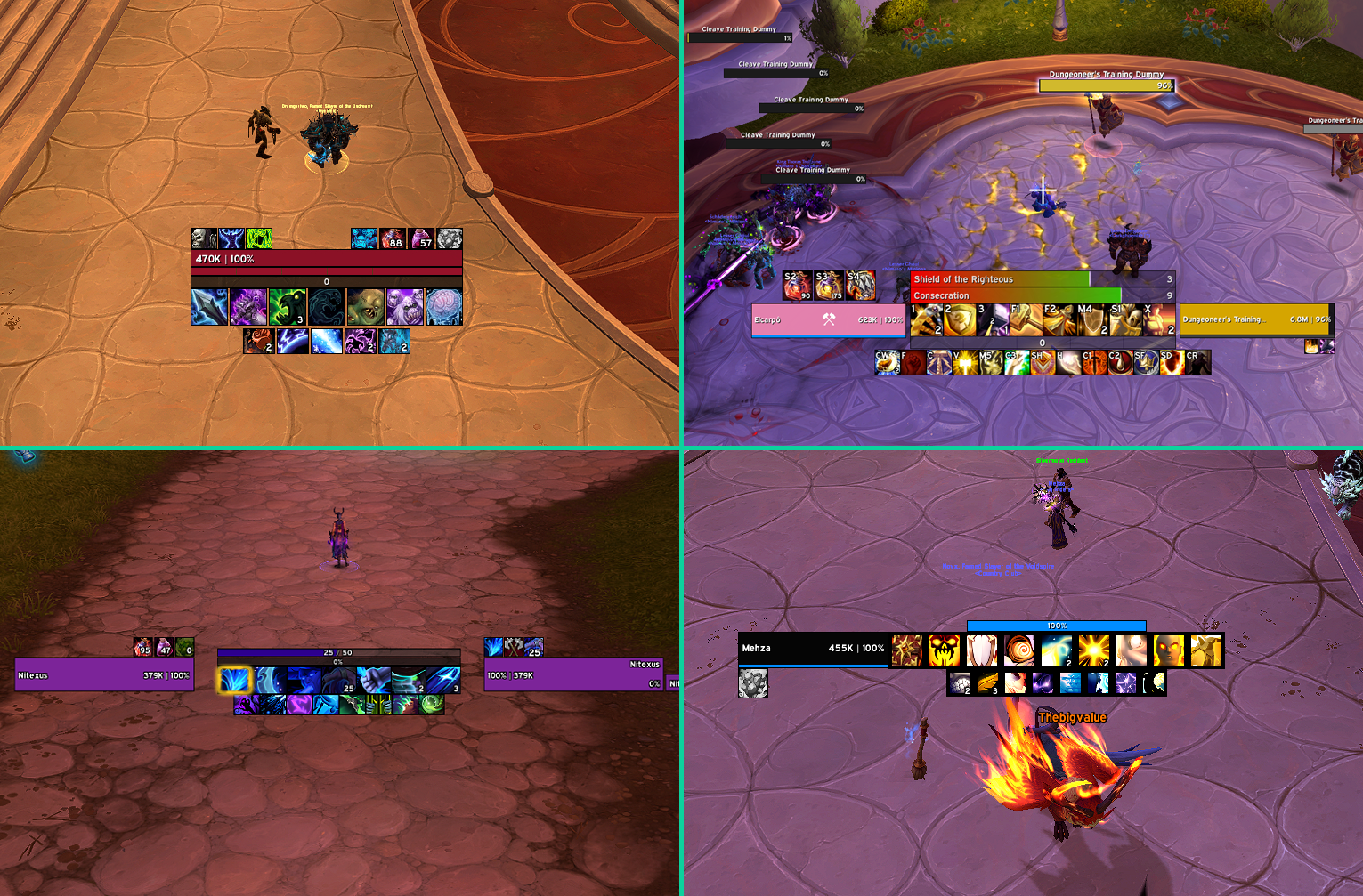
Cooldown Manager
The heart of the HUD. Cooldowns, buffs, potions and trinkets arrange themselves from your spec into smart tracking bars, then follow you through every talent swap.
Raid Frames
Healer-grade group frames with debuff managers, buff indicators, and layouts that reshape themselves as the group grows.
Nameplates
Aura slots, crowd control tracking, cast emphasis, boss detection, and an execute glow that shows you what is about to die.
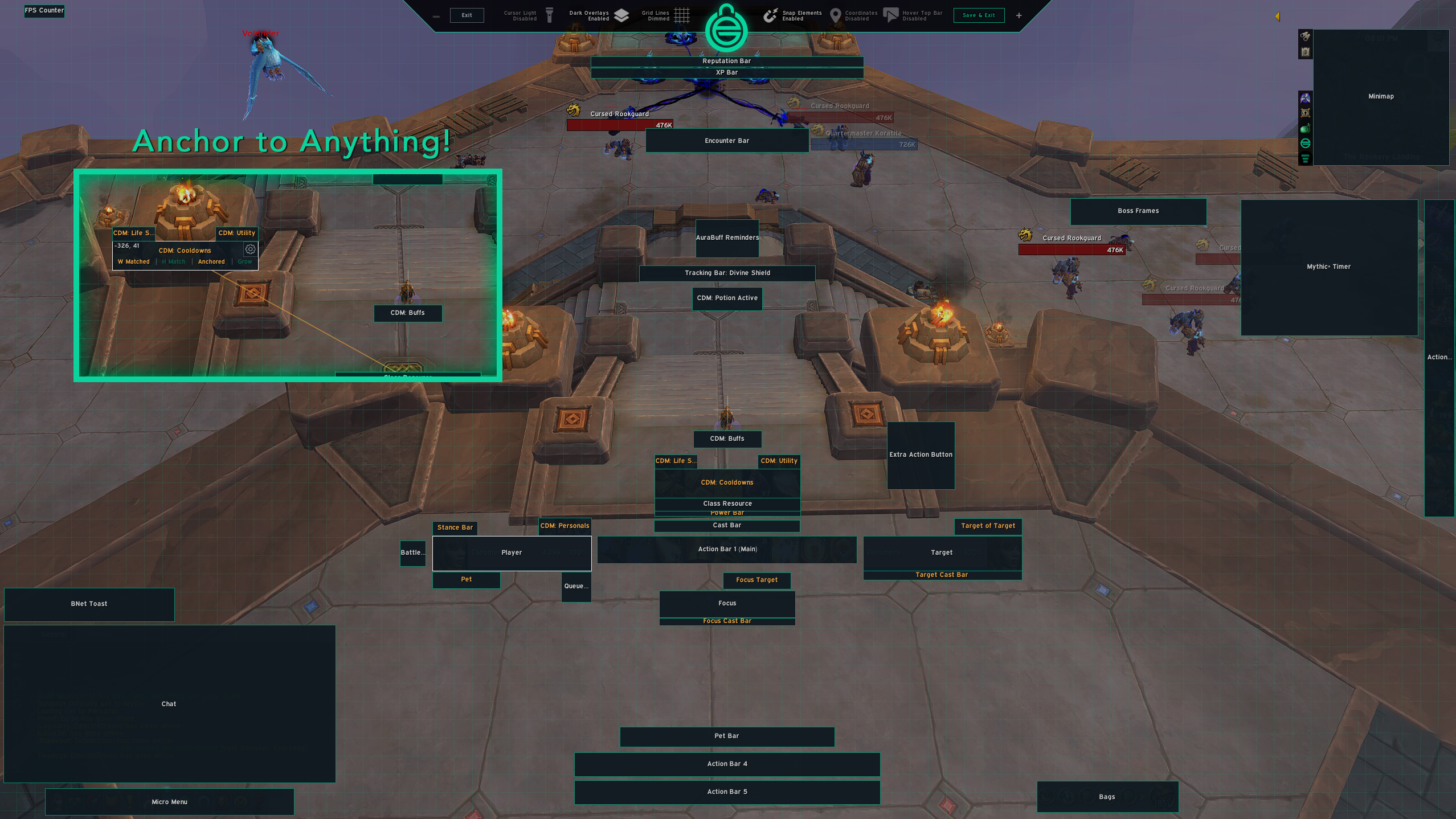
Unlock Mode
One keypress and the whole interface becomes drag-and-drop. Snap elements to each other, to the screen, or to pixel-perfect grid lines, then lock it back down.
Unit Frames
Player, target, focus and boss. Crisp health bars with absorbs, cast bars and auras exactly where you want them.
Action Bars
Every bar movable, scalable and fade-aware, with keybind styling that stays readable in the chaos.
Resource & Cast Bars
Class resources, combo points, runes and cast bars, centered on your character where your eyes already are.
Bags
One-bag inventory with search, sorting, quality borders and item level badges. Your bank included.
Chat & Quest Tracker
A cleaner chat, and an objective tracker you can style, resize and hide exactly when you want it gone.
Minimap & Data Bars
A square-cornered minimap, plus data bars for gold, durability, spec and everything you keep checking.
Start from a finished UI.
Import a complete community layout in one click.
Full EllesmereUI setups shared by players, each with screenshots and a one-click import string. Ultrawide builds included.
Watch it come together.
The story, and the setup guides.
Shipping constantly.
Every release, written up in plain language.
Free, and staying that way.
Built by one person, kept alive by the community.
Every module, every preset, every update. If EllesmereUI earned a place on your screen, these keep it going.
Five minutes from now,
your UI could look like this.
Download EllesmereUI, log in, and pick a preset. That is the whole tutorial.